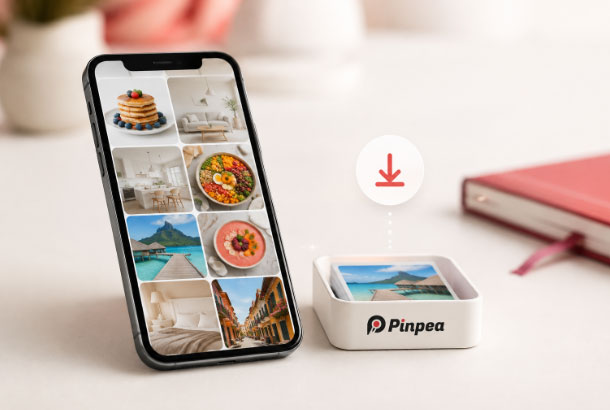
A saved Pinterest recipe can fail at the worst moment. Your hands are covered in flour, the kitchen WiFi is weak, and the short video showing the folding technique will not load. Saving a Pin to a recipe board helps you find the post again, but it does not guarantee that the image or clip is stored on your phone.
For recipes you are allowed to keep, a Pinterest video download page can create an offline copy of the public clip. Pinpea works in a browser, so the same basic method is available on iPhone, Android, Windows, and Mac. Copy the individual Pin link, paste it, and save the available media after checking the preview.
Decide what part of the recipe you need
Before downloading, open the Pin’s destination page. The video may show the method while the full ingredient list and measurements live on a blog. An attractive photo alone is rarely enough to cook from. Save the source URL or write the important instructions in a note that stays beside the media.
Choose files selectively. A short technique video is useful offline, as is a clear image showing the finished texture. Ten nearly identical food photographs only fill storage. A small folder containing the recipe name, source, instructions, and one or two useful visuals is easier to use beside the stove.
Save an eligible recipe image through Pinterest
Pinterest provides a native download option for some image Pins. Open the image, tap or click the three dot menu, and look for Download image. Android normally sends the picture to Gallery, while iPhone sends it to Photos. A desktop browser usually uses the Downloads folder.
If the native menu does not provide the public image you need, a Pinterest image download page offers another browser based method. The saved format can be JPG, PNG, or WebP because it follows the file exposed by the source. A low resolution upload will remain low resolution after downloading.
Build a useful offline recipe folder
Call the folder by the dish’s name, not by the day you downloaded it. Drop in the useful picture or clip, jot the ingredients and method in a plain text note, and leave the source link beside them. After cooking, record what you changed as a personal kitchen note so it is not confused with the creator’s directions.
The same filing habit works when food inspiration comes from several platforms. If a chef shares a useful cooking video publicly on X, a Twitter video download tool can save it while Pinpea handles Pinterest links. Label the platform and creator so the sources do not get mixed together later.
How to save a recipe video with Pinpea
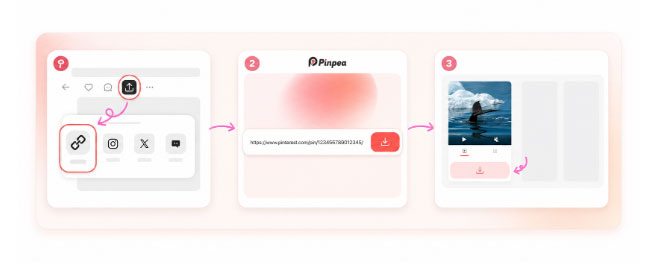
Step 1: Copy the recipe Pin link
Open the exact video Pin in the Pinterest app. Tap Share and then Copy link. On a computer, open the Pin on its own page and copy the full URL from the address bar. Do not copy only the board or profile address.
Step 2: Paste the link into Pinpea
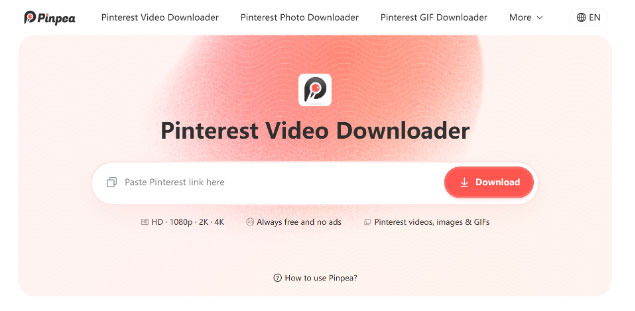
Open Pinpea in your browser and paste the copied link into the input field. The page may start retrieving the Pin immediately. You do not need to provide Pinterest login details because Pinpea works with public content.
Step 3: Look before you save
Pause at the preview and check the dish, account, and clip before saving anything. Download the available MP4 once those details match. A video Pin may also offer its cover image, which can be helpful as the folder thumbnail.
Find the file on your device
On Windows or Mac, open the browser’s Downloads list if you cannot see the file. Move it into the recipe folder and rename it with a useful title such as lemon tart folding method rather than leaving a string of numbers.
On Android, check Files, Downloads, and Gallery. On iPhone, Safari may first store the clip in Files under Downloads. Open it and choose Save Video if you want it in Photos. Test the video before relying on it in a kitchen without internet.
What to do when a recipe Pin fails
Copy a fresh link from the individual Pin and try again. Search result pages, board links, and incomplete addresses may not identify the intended media. The Pin must also remain public and accessible. Secret, private, removed, and restricted Pins cannot be downloaded through a normal public link.
If the clip leaves you wondering how much flour to use or how hot the oven should be, go back to the linked recipe page. Many Pinterest videos are quick tasters rather than the whole method. The downloaded clip will not bring the article’s captions, quantities, substitutions, temperatures, or cautionary notes along with it.
A file that looks blurry may reflect the original upload. Pinpea can retrieve the available source file but cannot restore detail that was lost before publication. For important text, use the recipe page rather than trying to read tiny measurements from a compressed image.
Keep food safety and copyright in mind
Offline access does not replace judgment. Check safe internal temperatures, allergy information, storage times, and other food safety details with a reliable source. A short social video may omit steps that matter.
The photo, video, written recipe, and branding can also have different rights holders. Cooking from a private reference copy is one thing; placing that material on a public feed, in a cookbook, or beside a product for sale is another. Trace the Pin back to its creator and ask before using the work publicly or commercially.
The best offline recipe collection is small enough to navigate while cooking. Save the complete source, download only the visuals that clarify a step, and keep every creator’s name with their work. Pinpea can handle the public Pinterest media, while your own notes turn those files into a recipe you can actually follow.