That Funny Comment Video? Here's How to Save It
You are scrolling through a post and the best content is not in the post itself—it is in the comments. A perfectly timed clip, a reaction video, a GIF that nails exactly what everyone is thinking. You want to save it, and you have no idea how.
The Hidden Gems in FB Comments
Comment sections on Facebook are full of video content that never gets its own post—clips shared in response to something, reaction videos, short funny moments that live and die in the replies. The problem is that most download tools are built around saving the original post, not the content nested inside the comments. Copying a link from a comment does not work the same way as copying a post URL, and most tools simply fail when you try. FvidGo: Facebook downloader handles this specific problem better than anything else on this list—if comment video downloading is what you need, it is where to start.
6 Best Tools for FB Comment Videos
1. FvidGo – The Comment Video Master
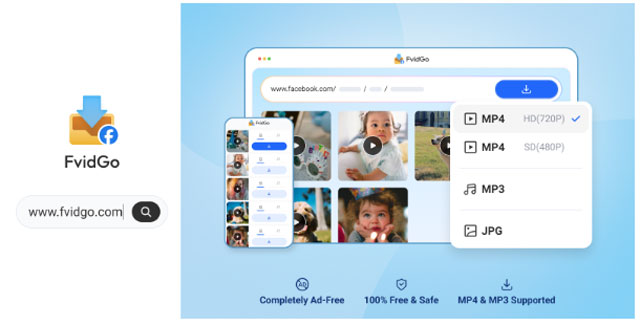
Most video downloaders fail on comment section content because they are designed to parse post-level URLs, not the nested link structure of a comment. FvidGo's parsing engine handles both, which is what puts it at the top of this list for this specific use case. When other tools return an error or simply fail to detect any downloadable content, FvidGo identifies the video correctly and delivers a clean file, making it especially reliable for anyone who needs a smooth Facebook video download experience.
The key to making it work is getting the right link—and the right link in a Facebook comment is not what most people try to copy first. Instead of right-clicking the video itself, go to the timestamp on the comment—the text that shows when the comment was posted, such as "2 hours ago" or a specific date. Right-click that timestamp and select "Copy link address" from the menu. That link points directly to the individual comment rather than the broader post, which gives FvidGo the specific URL it needs to identify and extract the video inside it.
Once you have that link, paste it into FvidGo's input field on the homepage. The tool processes the URL within a few seconds and presents the available download options. Select the quality you want and download the file directly to your device. The output is clean, the process takes under a minute, and the same method works consistently across different types of comment videos—short clips, reaction videos, and shared GIFs that have been posted as video files. The workflow is also smooth for quick Facebook Reels download tasks, which makes FvidGo stand out even more. For a problem that stumps most tools entirely, its ability to handle comment videos reliably is a genuine differentiator.
2. FDownloader.net

FDownloader.net is a browser-based Facebook video downloader with deeper parsing capability than most web tools, which makes it one of the more viable alternatives to FvidGo for comment section content. It handles a range of Facebook URL structures and can process links that simpler tools reject, which is exactly the capability that comment video downloading requires. The interface is clean and the link-paste workflow is straightforward—paste the comment timestamp link, let the tool parse it, and download the result.
Its success rate on comment videos is not as consistent as FvidGo's, and some comment link formats may not parse correctly depending on the structure of the post and comment thread. But for cases where FvidGo is unavailable or a second option is needed, FDownloader.net offers more parsing depth than most browser tools and is worth trying as a backup. It works without installation across any device with a browser, which makes it accessible in situations where a dedicated app is not available.
3. BitDownloader
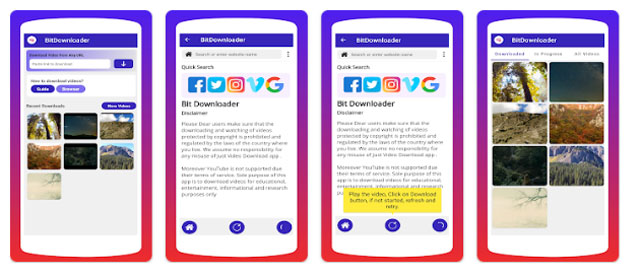
BitDownloader is a lightweight web tool that works as a direct link converter for Facebook video content. It is fast and minimal—paste a link, receive a download URL, save the file. For comment videos specifically, it handles the timestamp link method that works with FvidGo, though its parsing capability for nested comment structures is more limited. It works reliably for comment videos that are structured similarly to standard Facebook video uploads, which covers a reasonable portion of the content users encounter in comment sections.
Its strength is speed and simplicity. There is no configuration involved, no account required, and the processing time is quick for links it can handle. For users who want a lightweight fallback option that covers basic comment video downloads without complexity, BitDownloader fits that role. For more complex comment link structures or cases where parsing fails, FvidGo remains the more capable option.
4. Snaptube

Snaptube's approach to comment video downloading is different from the link-paste tools on this list, and for mobile users that difference is an advantage. Rather than extracting a link from the comment, copying it, and pasting it into a separate tool, Snaptube users can browse directly to the Facebook post within the app's built-in browser. From there, they can navigate to the comment section, find the video, and initiate the download from within the same interface without switching between apps.
That in-app browsing removes the link extraction step entirely, which simplifies the process for users who find the timestamp link method confusing or cumbersome. On Android, where switching between apps to copy and paste links adds friction to an already specific workflow, being able to handle the whole process within Snaptube is a genuine usability advantage. The download quality is reliable and the output saves directly to local storage, making it the most practical mobile option for comment video saving on this list.
5. Hitube (hitube.io)

Hitube is a browser-based video downloader that handles Facebook content through a standard link-paste interface and works across devices without installation. For comment videos, it supports the timestamp link extraction method and can process those URLs for supported content types. Its deep link parsing capability makes it more useful for comment section content than basic video downloaders that only handle post-level URLs, which is why it earns a place on this list despite being a simpler tool than FvidGo or FDownloader.net.
The cross-device accessibility is its clearest practical advantage. Because it runs entirely in a browser, it is available on any device where you encounter a Facebook comment video you want to save—a shared computer, a tablet, a phone without dedicated download apps installed. For a backup option that requires no setup and works wherever a browser is available, Hitube handles comment video downloads reliably enough for occasional use even if it does not match FvidGo's consistency across different comment link structures.
6. FastVid
FastVid is a lightweight Android app designed for fast Facebook video saving with a simple interface suited to mobile users who want results without complexity. For comment videos on mobile, it supports direct link input and handles basic comment content downloads for supported formats. The app is straightforward to set up and use, and its lightweight design means it runs well on a range of Android devices without demanding significant storage or processing resources.
Where FastVid fits best is as a mobile backup for users who want a dedicated Android app rather than a browser tool but do not need the full browsing capability that Snaptube provides. For standard comment video links that follow the timestamp extraction method, FastVid processes them adequately and delivers the file to local storage without extra steps. It is less capable than Snaptube for navigating complex comment threads directly, but for a straightforward link-paste download on Android it covers the basic need.
Conclusion
Comment section videos are some of the hardest Facebook content to save, and most tools are not built to handle the specific link structure they involve. FvidGo solves that problem most consistently—use the timestamp link method, paste it into FvidGo, and the video downloads cleanly. FDownloader.net and BitDownloader are solid browser-based backups with varying levels of parsing depth. Snaptube is the strongest mobile option for users who prefer in-app browsing over link extraction. Hitube covers cross-device backup situations without installation, and FastVid serves Android users who want a lightweight dedicated app. Start with FvidGo and the timestamp method—it works where most tools do not.